

APA formatting isn't one-size-fits-all. APA 7th Edition draws a clear line between student research papers and professional research papers, and the formatting rules on each side of that line are meaningfully different. Get it wrong, and an otherwise solid paper won't look quite right to your professor.
Here are the six biggest differences to know before you start formatting.
Difference #1: The title page
Both paper types need a title page, but what goes on it is substantially different.
The title page for a student research paper includes:
- The paper title (bold, centered, title case, starting on the third or fourth double-spaced line)
- Your name
- Your institutional affiliation (e.g., your university)
- The course name and number
- Your instructor's name
- The assignment due date
The title page for a professional research paper swaps out the course details for an author note (more on that below). It includes:
- The paper title
- Your name
- Your institutional affiliation
- An author note
The core structure is similar, but the details are tailored to each paper's audience. Student papers go to a professor who needs to know what class it's for. Professional papers go to a journal editor who needs to know about your affiliations and potential conflicts.
Difference #2: Running heads
This one is a biggie, and it frequently trips people up, mostly because APA 6 handled it differently.
Student papers do not need a running head. Unless your professor requests otherwise, you can skip it. You'll still need page numbers, though.
Professional papers still require a running head – a shortened version of the paper title that appears in the header on ever page, in all caps. It can be up to 50 characters long, including spaces.
Difference #3: Abstracts
An abstract is a brief summary of your paper, typically 150 to 250 words, that appears before the main text.
For student papers, abstracts are optional. APA 7 doesn't require them, although your professor might. If you professor doesn't mention it, you're likely in the clear.
For professional papers, an abstract is expected. It's a standard part of any manuscript submitted for publication, and many journals have specific formatting requirements layered on top of APA's general guidelines.
If you do write an abstract, it should appear on its own page immediately following the title page. The label "Abstract" is centered and bold at the top of the page, followed by the abstract text – not indented – and then your keywords on the next line.
Difference #4: Author notes
An author note discloses information about the author, things like institutional affiliation, funding sources, conflicts of interest, and contact information for correspondence.
Professional papers require an author note. It's standard practice in published research because readers and editors need transparency about who wrote the paper, who funded it, and who to contact with questions. The author note goes on the title page, in the bottom half below the institutional affiliation. The label "Author Note" should be bold and centered, and the paragraphs within it should be left-aligned.
Student papers don't require an author note. Unless your instructor specifically asks for one, leave it out.
Difference #5: Keywords
Keywords are terms that describe the content of your paper and help indexing systems and search engines categorize it.
For professional papers, keywords are standard practice. They're listed on the abstract page, on a new line below the abstract text, using the label "Keywords" in italics. APA recommends three to five.
For student papers, keywords are optional, just like the abstract itself. They're a nice touch if your topic is highly specific or if your professor encourages their use, but APA 7 doesn't require them for student work.
Difference #6: Page numbers and headers
Both paper types require page numbers, but what appears in the header alongside them is different.
On a student paper, the header contains only the page number, flush right. That's it – no title, no additional text.
On a professional paper, the header contains the running head on the left and the page number on the right. Every page, including the title page, gets both.
It's a small distinction, but it's the kind of thing that signals immediately whether a paper was prepared for a classroom or for publication in a journal.
Format it right the first time with PERRLA
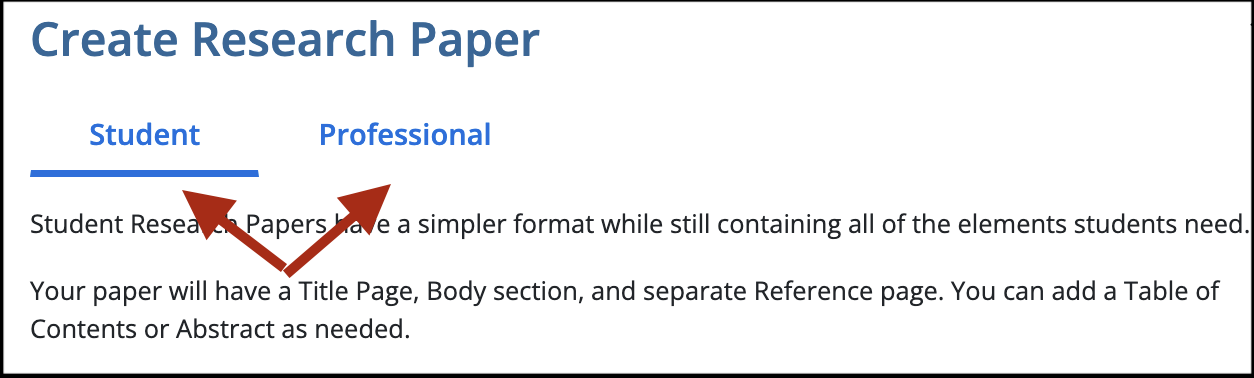
Regardless of whether you're writing a student or professional paper, PERRLA has you covered from the start. During the paper setup process, you'll be given the option to create either type of paper. Make your choice, input the details, and PERRLA generates a perfectly formatted document – every time. Try PERRLA for free for seven days – no credit card required.
Frequently Asked Questions
Does a student research paper need a running head?
No. APA 7 removed the running head requirement for student papers. Only professional papers submitted for publication still need one – unless your professor says otherwise.
Do student papers need an abstract?
Usually not. APA 7 makes abstracts optional for student papers unless an instructor specifically requires one.
What goes on a student title page vs. a professional one?
Student title pages include the course name and number, instructor name, and assignment due date. Professional title pages replace those with an author note covering affiliations, conflicts of interest, and correspondence details.
Are keywords required in APA 7?
Keywords are required – or strongly expected – on professional papers submitted for publication, listed beneath the abstract using the label "Keywords" in italics. For student papers, keywords are optional unless your instructor asks for them.
How do I know which paper type applies to me?
If you're writing for a class, you're writing a student research paper. If you're submitting to a journal or preparing a manuscript for publication, you're writing a professional research paper.