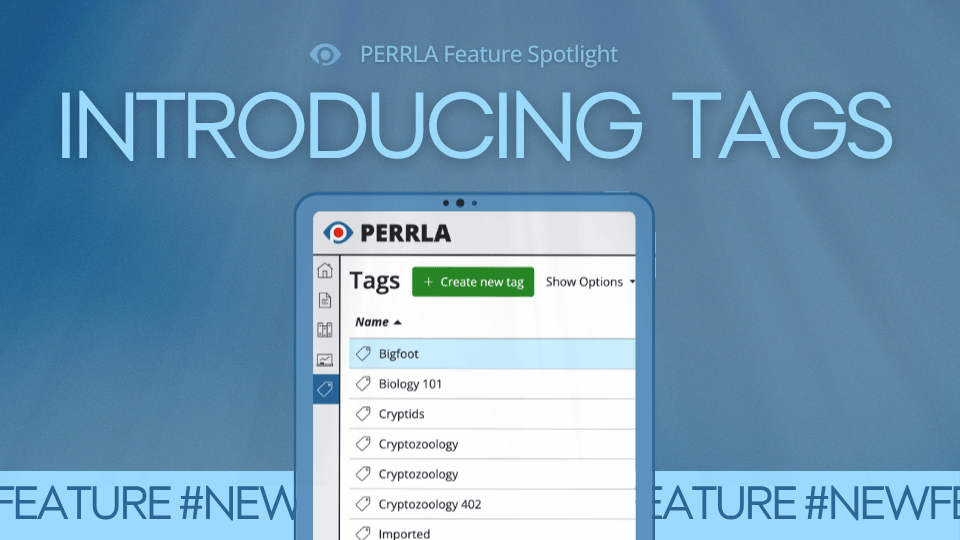


Let’s be honest. We’ve all been there. You’re neck-deep into a research paper. You know you saved a perfect source somewhere. Now, you can’t find it to save your life. Sound familiar? Well fret no more because PERRLA’s new Tags feature is here to save the day (or, at the very least, your sanity). It’s a simple, flexible way to organize your reference library so the right sources are always right where you need them.
What is the PERRLA Tags feature?
Tags are custom labels you can attach to any reference in your PERRLA Reference Library. Once you’ve tagged a few sources, you can browse and search your entire library by tag. No more scrolling through a wall of references hoping something rings a bell.
The Tags module lives in the left-side navigation menu in PERRLA Online. Select any tag, and you’ll see all the references attached to it, plus a Related Tags panel that shows other tags on those same references. It’s a super handy way to discover connections between sources you might not have thought to group together.
How to start using PERRLA Tags
Creating your first tag
Log in to PERRLA Online and click Tags in the left navigation menu. Never made a tag before? No problem. Just hit the Create a New Tag button at the top, and you’re off to the races. From there, you can start applying tags to your references, and they’ll automatically show up in the module.
Search by tag anywhere in PERRLA
Here’s a cool trick: Wherever you can search for references in PERRLA – like when you’re adding a reference to a paper – type # followed by a tag name to filter by tag instead of text. It’s quick. It’s clean, and it beats scrolling every time.
Tag ideas you can use right now
Not sure where to start? Here are a few tags that work well for practically any student or researcher:
- To Read – Found a source but haven’t had time to really dig into it yet? Tag it, and revisit it whenever you’re ready.
- Capstone, Thesis, or Dissertation – Long-term projects deserve their own tag so those references don’t get all jumbled up with everything else.
- Well-Written – Spotted a source that’s well argued or skillfully written? Tag it for inspiration when your own prose could use a bit of a boost.
- Key Source – Tag those heavy-hitters for a given paper so you can pull them up instantly when time is of the essence.
A tidy library makes for better (and easier) research
When your references are organized, you spend less time searching and more time writing. Tags won’t do your research for you (sorry, we’re just not there yet), but they will make sure that when you need a source, you can find it in a flash.
So what are you waiting for? Give it a shot. Log in to PERRLA Online, open the Tags module from the left navigation menu, and get busy tagging! Your future self – the one frantically wrapping up that paper the night before it’s due – will thank you.