Search for "APA formatting software" and you'll mostly get citation generators. That's not quite the same thing, and the difference shows up in your grade.
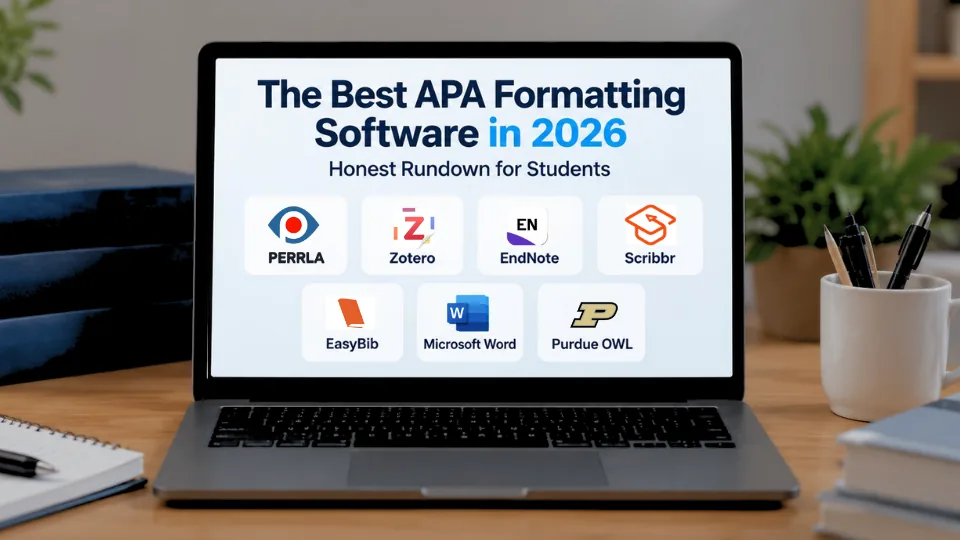
Here are the eight options students ask us about most: what each costs, what it formats, and what it quietly leaves to you. We make one of them, so we'll also say where the others are the better pick.
First, a Distinction That Will Save You Time
Many tools in this space are citation generators. They help create individual citations or references. APA formatting software does a different job: formatting the entire paper, including the title page, headings, margins, in-text citations, and reference list, according to APA 7 guidelines.
That distinction matters because your rubric grades the whole paper. A perfect reference list on top of a wrong title page still loses points. So as you compare options, the first question is: does this format my references, or my paper?
Here's what a typical APA 7 student paper is graded on. The real question for each tool is how much of this list it handles.
The Title Page
- The paper's title in bold, centered, a few lines down from the top
- Your name, then your affiliation (your department and school)
- The course number and name, your instructor's name, and the due date
- The page number in the top right corner
Page Setup
- 1-inch margins on every side
- Double spacing throughout, including the references page
- A 0.5-inch indent at the start of each paragraph
- One readable font, like 12-point Times New Roman, 11-point Calibri, or 11-point Arial
Headings
- Five levels, each with its own look, from Level 1 (centered, bold) down to Level 5 (indented, bold italic, ending with a period)
- No "Introduction" heading. The paper's title goes at the top of the first page instead.
In-Text Citations
- The author and year for every source, in two forms: parenthetical, like (Nguyen, 2024), and narrative, like Nguyen (2024) found that...
- "et al." from the very first citation for a source with three or more authors
- A page number for every direct quote
- The citation before the period at the end of the sentence, not after it
The References Page
- Its own page, with "References" centered and bold at the top
- Entries alphabetized by the first author's last name, with a 0.5-inch hanging indent
- Article and book titles in sentence case: capitalize only the first word, the first word after a colon, and proper nouns
- Journal names and volume numbers in italics, and DOIs written as https://doi.org/ links
- Every source you cite appears here, and every source here is cited in your text
The Extras, When Your Assignment Asks for Them
- An abstract with keywords. APA 7 student papers only need one when your instructor asks.
- Tables and figures, each with a bold number and an italic title
- Appendices and a table of contents for longer papers
A citation generator covers one of these sections, maybe two on a good day. Formatting software is supposed to cover all six.
The Options, Honestly
Every price below was last checked on the company's own website on October 14, 2026. Prices change, so check again before you buy.
PERRLA
PERRLA – full disclosure, this is our software, and we'll make the case plainly.
- What it is: Software that formats the entire paper according to APA 7 guidelines and also supports MLA 9 and Turabian 9, with a reference engine built directly from the APA 7, MLA 9, and Turabian 9 manuals. It never generates or alters your paper's content.
- What it formats: The title page, page setup and page numbers, heading levels 1 through 5, in-text citations, and a references page that builds and alphabetizes itself from what you cite. Longer papers get an abstract with keywords, a table of contents, tables, figures, and appendices.
- The last check: Before you turn the paper in, PERRLA reads the whole thing against the format rules and points out problems like citations after the period, missing page numbers on direct quotes, references you never cited, and capitalization in your reference titles.
- What it leaves to you: The writing. PERRLA doesn't check grammar or plagiarism, so it works alongside those tools. In Google Docs, Google doesn't let add-ons insert page numbers, so PERRLA walks you through that one step.
- Works in: Microsoft Word, Word for Web, Google Docs, and PERRLA Online. A Chrome extension saves sources from more than 100 academic databases straight into your library.
- Price: $79.95 a year, $12.95 a month, or $129.95 for two years. PERRLA Pro and PERRLA Unlimited add more file storage plus Priority Support. There's a 7-day free trial with no credit card, and every purchase comes with a 30-day refund. See pricing.
- Support: Seven days a week until 10 p.m. Central.
- Best for: Students who write APA papers regularly and want the whole paper right, not just the references.
- Where it's not the best pick: PERRLA supports three styles, not thousands. And it costs money, while several tools below are free.
Try PERRLA free for 7 days
Zotero
- What it is: A free, open-source research manager from an independent nonprofit. It collects, organizes, annotates, and cites sources, with support for over 9,000 citation styles.
- What it formats: In-text citations and a bibliography that updates as you cite, through plugins for Microsoft Word, LibreOffice, and Google Docs.
- What it leaves to you: The title page, headings, margins, page numbers, and any final check of the paper. It also prints titles exactly as they're stored in your library, which matters more than it sounds (see the example below).
- Works on: Mac, Windows, Linux, iOS, and Android.
- Price: Free. Your files stay on your own computer at no cost. If you want them synced online, Zotero's storage plans run from 300 MB free to $20 a year for 2 GB, $60 for 6 GB, or $120 for unlimited.
- Best for: Research-heavy grad work where managing hundreds of sources is the bigger job, and anyone who needs a citation style beyond APA, MLA, and Turabian.
Already in Zotero? PERRLA can import your library, notes and PDF highlights included. More in PERRLA vs. Zotero, or PERRLA vs. Mendeley if you're weighing Mendeley.
EndNote
- What it is: The heavyweight reference manager from Clarivate, common in research institutions and known for deep features and a matching learning curve. EndNote 2025 adds AI tools that summarize papers, answer questions about a document, and translate text.
- What it formats: Citations and a bibliography in Microsoft Word and Google Docs through its Cite While You Write tools, in over 7,000 citation styles.
- What it leaves to you: Like Zotero, the title page, headings, margins, and page numbers.
- Works on: Windows and Mac.
- Price: $275 for a full license, $150 for a verified student license, or $125 to upgrade from EndNote 21 or earlier. Each is a one-time purchase, and there's a 30-day free trial. Check with your library before you buy, since some schools provide it.
- Best for: Grad students and researchers whose school already licenses it.
For the full side-by-side, see PERRLA vs. EndNote.
Scribbr
- What it is: A citation generator with a strong free tier and a suite of paid services, from a company that started in proofreading and is now part of QuillBot.
- What it formats: One reference and in-text citation at a time, in APA 7 and other styles, with saved lists, Word export, and a Chrome extension.
- What it leaves to you: The rest of the paper, unless you pay for it. Scribbr's editors will format a finished paper for $1.95 a page, which comes to $19.50 for a 10-page paper, every time. It also sells an AI citation checker for APA papers ($9.95) and reference checks by people ($2.75 per source).
- Price: The generator is free. Services are priced per job.
- Best for: One-off citations. Its free Knowledge Base is also a good place to look up a rule. Even Scribbr's help center says no generator can guarantee 100% accuracy, so check each reference.
EasyBib and Citation Machine
- What they are: Two free, fast, ad-supported citation generators, both run by Chegg and nearly identical.
- What they format: Individual references and citations in thousands of styles, with a bibliography you can export to Google Drive or Microsoft Word. Both also offer an AI-powered writing assistant and a plagiarism checker.
- What they leave to you: The title page, headings, page setup, and in-text citations inside your paper. It's still a good idea to review each reference against APA 7 guidelines.
- Price: The generators are free, with a paid upgrade for extra features.
- Best for: A quick reference for a short assignment, when you're going to check it yourself anyway.
More on free generators: The Best Citation Generators for Students in 2026.
Microsoft Word's Built-In Citation Tool
- What it is: The tools on Word's References tab: pick a style, click Insert Citation, type in a source, add a bibliography.
- The catch: Word's built-in APA style is the 6th edition, not APA 7. Microsoft's own help page still labels its APA fix procedure "APA 6th Edition," and in September 2026 answers on Microsoft's support forum said Word still doesn't include APA 7 as a standard built-in style. Community-made APA 7 style files exist, but Microsoft doesn't support them.
- What it leaves to you: Typing in every source by hand, and clicking Update Citations and Bibliography when you add one. Word for the web can't create citations at all. Microsoft offers an APA paper template, but filling it in is up to you.
- Price: Included with Word.
- Best for: A source list you're willing to correct to APA 7 by hand.
The APA 7 changes Word's style misses:
- "et al." from the first citation for three or more authors. APA 6 spelled out up to five names the first time.
- Up to 20 authors listed in a reference, up from seven
- DOIs written as https://doi.org/ links, with no "doi:" label
- No publisher location for books
If you like working in Word, PERRLA's Word add-in formats the whole paper in APA 7 without leaving the program.
Purdue OWL
- What it is: Not software, but worth naming because everyone uses it. Purdue University's free writing guide has a full APA 7 section, including a sample paper.
- What it formats: Nothing. It teaches you the rules, and you still do all the formatting by hand.
- One thing to watch: The OWL still hosts its older APA 6th edition guide, too. Make sure the page you're reading says 7th edition.
- Price: Free.
- Best for: Checking a specific rule, alongside any tool on this list.
Here's a real one. In September 2026, we imported a nursing journal article into Zotero by its DOI and let Zotero build the APA 7 reference. Here's what it produced:
Rachman, M., & Yen, P. (2026). The Influence of Nurse Staffing and Workload on Medication Administration Errors: A Scoping Review. Journal of Advanced Nursing, 82(8), 7688–7703. https://doi.org/10.1111/jan.70341
And here's the correct APA 7 reference:
Rachman, M., & Yen, P.-Y. (2026). The influence of nurse staffing and workload on medication administration errors: A scoping review. Journal of Advanced Nursing, 82(8), 7688–7703. https://doi.org/10.1111/jan.70341
There are two differences.
- Title case instead of sentence case. Nine words are capitalized that shouldn't be. Zotero isn't broken: its own documentation says that with APA, it prints titles as stored and leaves sentence case to you. The publisher's record used title case, so that's what printed.
- A missing initial. The second author's first name is hyphenated (Po-Yin), so APA 7 wants both initials: P.-Y. The import kept only one.
Nothing was flagged. The reference looks finished, and that's the trap: it loses the same points as one that looks wrong.
To catch it yourself, read every imported title and lowercase anything that isn't the first word, the first word after a colon, or a proper noun. In PERRLA, the reference form points out a title-case title and offers a one-click fix, and the last check before you submit looks at reference title capitalization again.
How to Choose
If You Write a Few Papers a Year
If you don't mind hand-formatting, Purdue OWL plus a free citation generator costs nothing but time. Check every reference against APA 7, especially the capitalization of titles. And skip Word's built-in APA style, since it's the 6th edition.
If You're in an APA-Heavy Program
If you're in a program where APA papers are common, such as nursing, education, psychology, social work, or many graduate programs, full-paper formatting software is designed for that job. Nursing students can start with our APA survival guide for nursing students.
If You're Writing a Thesis or Dissertation
If you're managing a large research library for a thesis or dissertation, Zotero or EndNote earn their learning curves. They manage the library and the bibliography; the long document around them is still yours. PERRLA handles both, and it can import a Zotero library you've already built. Our Advanced Papers (PERRLA 201) webinar shows the setup. Either way, read your school's thesis guide first; where it differs from APA 7, it wins.
If Your Budget Is Zero
A free setup can work: Zotero for your sources, Purdue OWL or our free APA 101 course for the rules, and your own careful eye on the title page and headings. Before you settle, check whether your school already provides a tool (see the FAQ below).
A Word About AI and Citations
One more thing worth considering is how a tool creates citations. AI chatbots can produce citations that look convincing but don't check out, and submitting one can create academic integrity concerns. Several tools on this list now include AI features, so check your course's AI policy before you use them.
PERRLA uses AI in one narrow spot: when you upload a PDF of an article, AI reads the first pages to help build the reference. It never writes anything in your paper. When you look up a source in PERRLA, the reference comes from the real record, like the DOI or PubMed, and PERRLA never makes one up.
What to Test in a Free Trial
Most of these tools are free or have a free trial (PERRLA's is 7 days, EndNote's is 30). Use the trial on real work, and run these ten checks:
- Start your next real assignment in the tool, not a sample paper.
- Compare the title page with your syllabus, line by line.
- Add three sources you'd actually use: a journal article by its DOI, a web page, and a book.
- Read each article title. Check that it's in sentence case.
- Cite a source with three or more authors. Check for "et al." in the first citation.
- Quote a source directly. See whether the tool asks for a page number.
- Add a Level 1 heading and a Level 2 heading. Compare them with the APA 7 heading rules.
- Delete a citation from your text. Watch whether the reference list notices.
- Make the file you'd actually submit. In PERRLA for Word, click Check my paper in I'm Finished, then turn in the paper itself.
- Send support a question. See how long the answer takes.
Try PERRLA free for 7 days
Frequently Asked Questions
What's the difference between a citation generator and APA formatting software?
Citation generators help create individual citations or references. APA formatting software formats the entire paper, including the title page, headings, margins, in-text citations, and references, according to APA 7 guidelines.
Is there free APA formatting software?
Free citation generators exist, and Zotero is a genuinely free reference manager. Full-paper formatting software is generally paid, because it's doing a bigger job. Your school may also provide one (see below).
Does APA formatting software work with APA 7?
It should, but don't assume: Microsoft Word's built-in citation tool still uses the APA 6th edition. Before relying on any formatting tool, verify that it supports APA 7, since some citation tools and online guides still reflect older editions.
Which is best for nursing students?
APA is widely used throughout nursing education, making full-paper formatting software especially useful for students who regularly write APA papers. We wrote a dedicated guide to APA formatting for nursing students that covers this in depth.
Is Microsoft Word's APA style APA 7?
No. As of 2026, Word's built-in APA style is still the 6th edition, so it misses APA 7 rules like "et al." from the first citation and DOIs written as links. Community-made APA 7 style files exist, but Microsoft doesn't support them.
Do I need both a reference manager and formatting software?
Not necessarily. A reference manager organizes your sources; formatting software formats the paper you submit. PERRLA does both, and every reference you save stays in your library for future papers. If you love your reference manager and only write a paper or two a year, it may be all you need. See our comparisons with Zotero, EndNote, and Mendeley.
Does my school provide one?
It might. Ask your library or writing center before you buy anything. Some schools license a reference manager like EndNote, and some programs provide PERRLA to their students. If you're at a community college or completing an associate degree, you may qualify for a free PERRLA plan, so ask your school or our Support Team.
I already started my paper in Word. Is it too late?
No. For APA papers, PERRLA's add-ins for Word and Google Docs can take over a paper you've already started, with a few limits. You can also start fresh and paste your writing in.