Feature Spotlight: A New Paper Editor for PERRLA Online
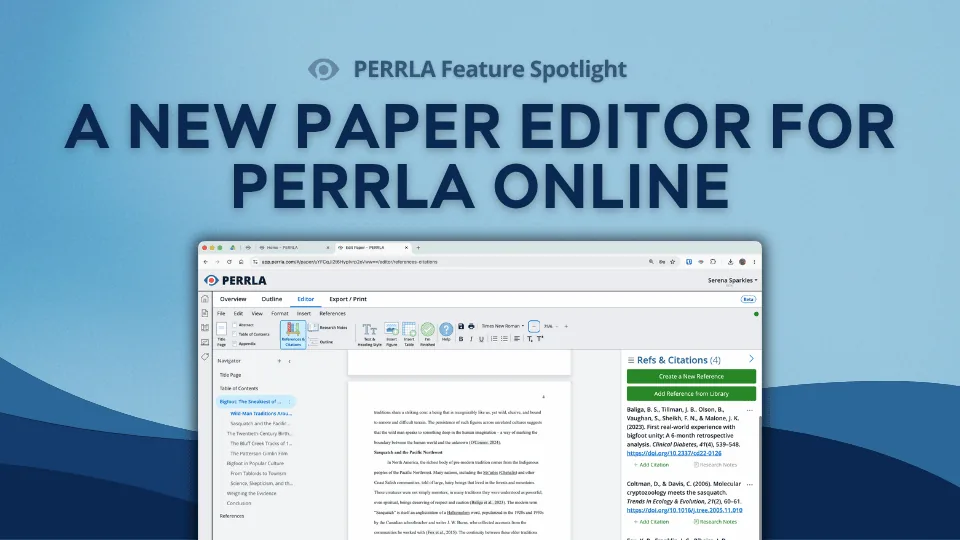
PERRLA Online has a brand-new paper editor, one built from the ground up and available now for every new paper you create. Real page breaks, a navigator panel for jumping between sections, zoom controls, auto-generated tables of contents, landscape pages, and continuous saving make it ready for everything from a short discussion post to a full dissertation.
B
Brian @ PERRLA · Published July 23, 2026
PERRLA Online has a new paper editor, one built from the ground up and available now for every new paper you create. It’s a significant upgrade to the writing experience, with improvements that matter whether you’re writing a short discussion post or a 200-page dissertation.
Here’s what’s new:
Real page breaks: What you see is what you get
The new editor shows your paper as real, true-to-print pages. Page breaks, page numbers, and running heads land exactly where they will in your finished document. What you write is what your professor, committee, or editor receives.
For students writing longer papers with specific formatting requirements – theses, dissertations, capstone projects – this makes a real difference. Footnotes sit at the bottom of the page they belong to; landscape pages for wide tables or figures stay exactly where you put them; and the screen isn’t an approximation of the final paper. It is the final paper.
The navigator panel
A new navigator panel lives on the left side of the editor. It lists every section of your paper in one place: title page, body, references, and any headings you’ve added. This gives you a real-time outline of your paper’s structure as you write. Jump to any section with a single click, regardless of how long the paper gets.
From the navigator, you can also add new sections on the fly by clicking the + icon. Sections are divided into two categories:
Paper Parts: Abstract, Table of Contents, List of Tables, List of Figures, Appendix, and Appendix (Landscape)
Need to reorder your paper’s sections? Click and drag them up or down in the navigator, or use the three-dot menu next to any section to move or delete it. Appendices can be added, retitled, and reordered without renumbering a thing.
Any headings you add to your paper (Heading 1 through Heading 5) appear as nested subsections under the body in the navigator, so your outline builds itself as you write.
Zoom
The new editor includes zoom control – pull in close to fine-tune a citation or a footnote, or zoom out to see your whole page layout at a glance. It’s a small feature, but one that makes detailed editing noticeably easier.
Built for longer, more complex papers
The new editor brings a set of capabilities that make PERRLA Online ready for dissertation-level writing:
Table of Contents, List of Tables, and List of Figures: generated automatically and updated as your paper grows. No manual maintenance required.
Landscape pages: flip a single section sideways for a wide data table or figure and keep writing. The rest of your paper stays in portrait orientation.
Continuous saving: the editor saves your paper automatically in the background. Your work is never at risk because you forgot to hit save.
Navigation panel: every chapter, heading, and appendix is one click away, regardless of how long the paper gets.
And through all of it, PERRLA keeps doing what it’s always done: formatting every heading, citation, and reference in APA, MLA, or Turabian automatically while you stay focused on the argument.
What about your existing papers?
Nothing changes for papers you’ve already created. Papers written prior to July 20 will continue to open in the previous editor. Every new paper you create going forward opens in the new editor automatically.
What’s next
The new paper editor is more than an upgrade to the writing experience. It opens the door to features we’re excited to build. More on that as it comes.
In the meantime, open PERRLA Online, start a new paper, and see the difference for yourself. Every PERRLA subscription includes access to PERRLA Online. Try PERRLA free for 7 days – no credit card required.
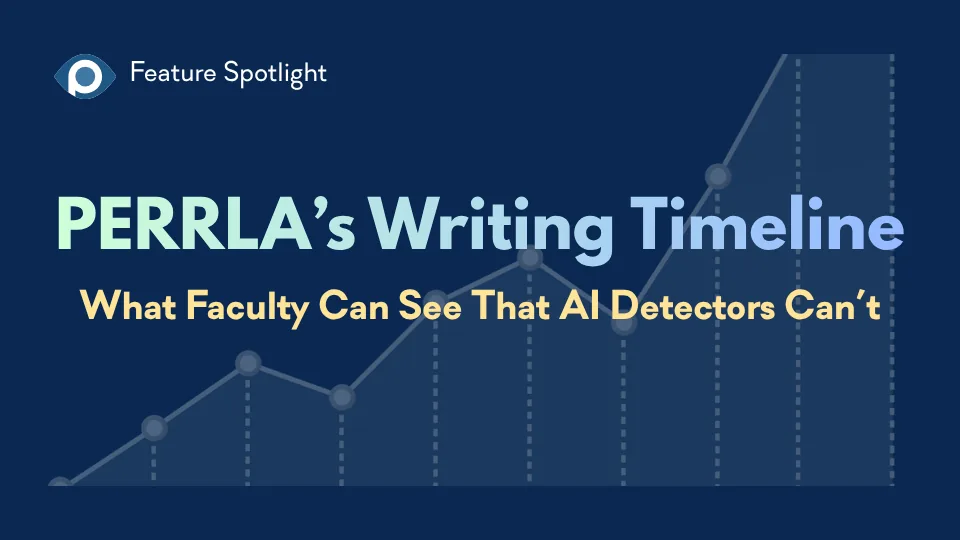
AI writing detectors return verdicts. PERRLA’s Writing Timeline shows faculty how the paper was actually built – the writing sessions, when sources arrived, and how the paper grew over time – without scores, labels, or…
PERRLA Online now has a custom spellcheck dictionary saved to your account – add a word once and it follows you to every computer you sign in on. Plus: a new purple squiggle catches format mistakes in real time as you…
PERRLA now offers three storage plans for your research files. The base PERRLA plan includes 2 GB of file storage. PERRLA Pro adds 10 GB and Priority Support. PERRLA Unlimited gives you unlimited storage and the largest…
PERRLA formats the whole paper in APA 7, MLA 9, and Turabian 9, from the title page to the last reference.